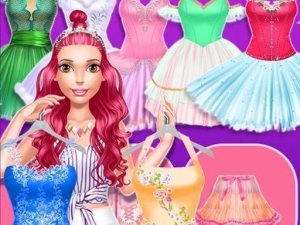
Players begin by choosing a dancer to style. The wardrobe contains multiple categories including tops, bottoms, full dresses, footwear, and decorative items. Each category offers several options that can be mixed freely. Selecting any piece immediately shows it on the dancer, allowing for quick visual feedback. The interface is straightforward, making it easy for younger players to navigate independently.
There are no scoring systems, timers, or objectives that dictate what constitutes a successful design. This structure encourages experimentation with color combinations and layering. Players can try bold pairings like a classic white leotard with a vibrant purple tutu, or keep designs traditional with soft pinks and silvers. The absence of failure conditions means every choice is valid.
Changing the performance backdrop adds context to each outfit. Different stage settings can influence how a costume appears under various lighting conditions. This feature helps players think about how their designs would look in an actual theater environment. Backgrounds may include simple studio spaces or more elaborate stage scenes.
Completed outfits can be saved as images for personal collection or shared with friends. This allows players to build a portfolio of their favorite creations over time. The sharing feature is optional and designed with safety in mind, ensuring no personal information is exchanged through the game itself.
The game is built for a broad audience, from young children exploring fashion concepts to older players seeking a relaxing creative outlet. Controls are simple tap or click actions with no complex menus. All content is appropriate for family settings, with no mature themes or violent elements.

Player Comments
Sign in to comment
You must be logged in before posting a review or rating.
No account? Create one
No comments yet. Be the first to comment!