Mini Character Design Studio
Reviews
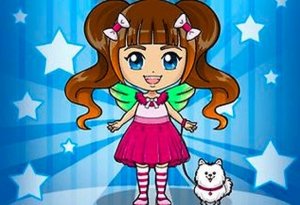
Mini Character Design Studio is a delightful browser game that lets you create adorable miniature characters from scratch. The interface is clean and easy to navigate, making it accessible for all ages. The wide range of hairstyles, eyes, and outfits ensures that each creation feels unique. I especially appreciate the stress-free nature of the game—no timers, no scores, just pure creative fun. It's perfect for quick breaks or longer sessions, and the option to save or share designs adds to the enjoyment. Highly recommended for anyone who loves character design.
About this game
Game Introduction
Mini Character Design Studio is a creative browser game focused on character creation and artistic expression. Players design their own miniature characters from a blank template, selecting from a variety of hairstyles, eye shapes, mouth expressions, and clothing options. The game emphasizes personal style and beauty, allowing each player to craft a character that reflects their unique taste. There is no time pressure or scoring, making it a relaxing experience suitable for short breaks or longer creative sessions. The game is optimized for both desktop and mobile browsers, requiring no download. It encourages experimentation with different combinations, and some versions may include unlockable items to keep the experience fresh. The simple interface and clear controls make it accessible to players of all ages. The core objective is to enjoy the process of creation and self-expression.
How to Play
Players begin with a blank character template. Using a mouse or touchscreen, they navigate through categories such as hairstyle, eyes, mouth, and clothing. Each category offers multiple options that can be previewed instantly on the character. Players can mix and match freely until they are satisfied with the design. There is no time limit or failure condition; the goal is simply to create a character that pleases the player. Some versions may include a save or share feature to keep creations or show them to friends. The interface uses clear icons and labels, and undo or redo functions are available to encourage bold experimentation. No special skills are needed, making it easy for anyone to start creating immediately.
Game Features
Mini Character Design Studio includes a wide range of customization options for hairstyles, eye shapes, mouth styles, and outfits. The game features a clear and intuitive interface suitable for all ages. It is optimized for desktop and mobile browsers, ensuring smooth performance on any device. Some versions may include a reward system that unlocks new items as players create more characters. Different themes or style packs may also be available to add variety. The game supports both short and long play sessions, encouraging replayability through many possible combinations. It is free to play with no download required, and it runs entirely in the browser. The overall experience is designed to be relaxing and stress-free, focusing on creativity and self-expression.
Tips for Success
Take your time to explore all available options before finalizing a design. Try unusual combinations of hairstyles and outfits to discover unique looks. If unlockable items are available, creating multiple characters may help you access new content. Save or screenshot your favorite designs to track your creative progress. Experiment with different color schemes to make your character stand out. Most importantly, have fun and let your imagination guide your choices.