Water vs Fire Firefighter Game
Reviews
ASMR Water vs Fire is a delightful online game that offers simple yet engaging gameplay. Players act as firefighters, spotting and extinguishing fires with water. The controls are easy, and the game runs smoothly on any device. It's perfect for kids and families looking for a positive, educational experience.
About this game
Game Introduction
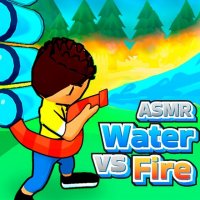
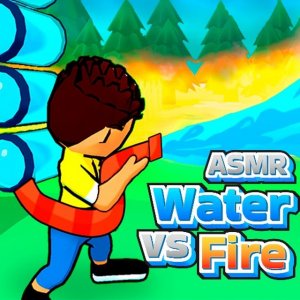
ASMR Water vs Fire Online Game is a family-friendly action game where you take on the role of a brave firefighter. The core objective is to watch for fires and extinguish them quickly before they spread. The game combines simple firefighting mechanics with relaxing ASMR elements, making it suitable for players aged 3 and up. Developed by Rike Games, it runs smoothly on computers, phones, and tablets using WebGL technology. The game emphasizes quick thinking and problem-solving in a safe, non-violent environment.
How to Play
Players use their mouse to control the firefighter character. The main task is to scan the screen for any signs of fire and move the hero toward the flames. Once close, you use a water backpack to spray water and put out the fire. You must keep an eye on the water level in the backpack; when it runs low, you need to find a water source such as a fountain, tank, or pond to refill. Water sources can be used multiple times. Each fire you extinguish earns you gold, which you can use to upgrade your hero's abilities. The game features multiple levels, each presenting new challenges that require alertness and fast reactions.
Game Features
The game includes fun firefighter action with easy mouse controls suitable for all ages. Players can upgrade their hero using gold earned from putting out fires. The game is designed to be safe for kids and families, with no violent or inappropriate content. It works across multiple devices including computers, phones, and tablets, thanks to WebGL technology. The levels gradually increase in difficulty, providing a gentle learning curve. The ASMR aspect adds a calming audio-visual experience to the gameplay.
Tips for Success
To succeed in ASMR Water vs Fire, always keep an eye on your water backpack level and refill at the nearest water source before it empties. Prioritize fires that are closest to buildings or other flammable objects, as they can spread quickly. Practice moving your hero efficiently to save time. Use the gold you earn to upgrade your hero's water capacity or speed, which will help in later levels. Stay calm and focused, as panicking can lead to missed fires. Finally, replay earlier levels to master the controls and earn extra gold for upgrades.