Patch the Barrier strips away unnecessary complexity to deliver a pure focus exercise. The keyboard-based movement feels responsive, and the escalating hazard speed keeps each round tense. Visual feedback is immediate, making it easy to track progress. While the lack of a pause button can be frustrating during interruptions, it reinforces the game's core design: total concentration. Perfect for short bursts of play.
Description
Core Objective and Flow
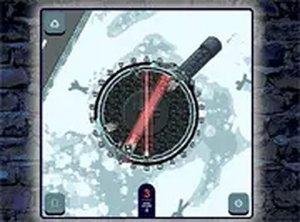
Players manage a multi-section barrier that gradually deteriorates. The goal is to move between sections and perform repairs before the barrier fails completely. Hazards appear at random intervals, requiring immediate relocation to avoid a game-ending collision. This creates a constant push-pull between fixing damage and staying safe.
Controls and Interaction
Each barrier section is linked to a specific keyboard key. Pressing the correct key sends the character to that spot and initiates a repair. The control scheme is minimal, allowing players to focus entirely on timing and positioning. No mouse or complex inputs are needed, making the game accessible to anyone familiar with a keyboard.
Difficulty Progression
As rounds continue, the speed of incoming hazards increases. Early stages offer a relaxed pace, giving newcomers time to learn the layout. Later stages demand faster decisions and more precise movements. The challenge ramps up smoothly, ensuring players feel a growing sense of urgency without sudden unfair jumps.
Visual and Feedback Design
The interface uses clean, high-contrast visuals to clearly distinguish between intact and damaged barrier sections. Hazards are easily spotted against the background, helping players react quickly. Each successful repair triggers a visible score increase, providing immediate positive reinforcement. The overall design prioritizes clarity over decoration.
Session Structure and Accessibility
Each attempt lasts a short time, making the game ideal for quick breaks or extended play sessions. There is no save system or pause function, so every round requires full attention. The game runs directly in a desktop browser without any installation or account creation, lowering the barrier to entry.
Compatibility
Play on Any Device | Chrome / Safari / Edge Recommended
Faq
Can I play Patch the Barrier on a mobile device?
The game is designed for desktop browsers and relies on keyboard inputs. Mobile browsers do not support the required key-based controls, so it will not function properly on phones or tablets.
Is there a way to pause the game during a round?
No. The game does not include a pause feature. Once a round begins, it continues until the player is hit by a hazard. This design keeps the experience intense and requires sustained focus.
Does the game save my high score between sessions?
Patch the Barrier does not use cookies or accounts, so scores are not saved between browser sessions. Each new visit starts fresh, which keeps the challenge consistent for all players.
Are there different difficulty levels to choose from?
The game uses a single dynamic difficulty system. The challenge increases automatically as you play longer, with hazards moving faster over time. There are no manual difficulty settings.
What happens if I press the wrong key?
Pressing a key that does not match any barrier section has no effect. The character stays in place. Only the correct key for the current section triggers a repair action.
Can I play this game offline?
No. The game runs in a browser and requires an active internet connection to load. Once loaded, it may work without further data, but it is not designed for offline use.
Player Comments
💬
Sign in to comment
You must be logged in before posting a review or rating.





Player Comments
Sign in to comment
You must be logged in before posting a review or rating.
No account? Create one
No comments yet. Be the first to comment!