Hue Harmony Sorting Challenge stands out by prioritizing relaxation over competition. The gradual difficulty curve keeps the mind engaged without causing stress, and the visual design is a treat. Special particles add variety, while the hint system prevents roadblocks. It is an excellent choice for anyone seeking a peaceful puzzle experience that the whole family can enjoy together.
Description
Gentle Puzzle Mechanics
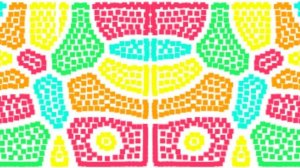
At its core, Hue Harmony Sorting Challenge revolves around grouping colored particles by their hue or pattern. Players tap or click to move each particle into the correct zone, gradually clearing the board. The controls are straightforward, making the game accessible to newcomers while still engaging for puzzle enthusiasts. There is no countdown or score pressure, allowing for a meditative pace. Hints are available for those moments when a level feels tricky, ensuring progress remains smooth.
Visual Calm and Audio Serenity
The game’s palette is carefully chosen to be vibrant yet soothing, with each particle displaying a distinct shade that stands out clearly. Backgrounds shift gently between levels, providing visual variety without distraction. Soft, ambient sound effects accompany each move, creating an atmosphere that encourages focus and relaxation. The overall aesthetic is clean and modern, designed to reduce eye strain during longer sessions.
Progressive Challenge Design
Early levels introduce basic color groups, allowing players to build confidence. As you advance, the arrangements become more complex, incorporating subtle variations in shade and mixed patterns. This gradual increase in difficulty ensures that the game remains mentally stimulating without becoming frustrating. Special particles occasionally appear, offering shortcuts or easier grouping options. The learning curve feels natural, rewarding patience and observation.
Family-Friendly Accessibility
Hue Harmony Sorting Challenge is built for players of all ages. Young children can practice color recognition and fine motor skills, while adults find a low-stress way to unwind. There are no violent elements, complex rules, or in-app purchases that disrupt the experience. The interface uses large, clearly labeled buttons, and the hint system is simple to activate. This makes the game a reliable choice for shared family time or solo relaxation.
Long-Term Engagement
With dozens of levels and new patterns introduced regularly, the game offers lasting appeal. Each session feels distinct because the particle arrangements are generated with variety in mind. Players who enjoy completing collections will appreciate the sense of accomplishment as they sort through increasingly intricate boards. The absence of timers means you can pause and resume anytime, fitting naturally into short breaks or longer periods of leisure.
Compatibility
✅ Works on PC & Mobile | Recommended: Chrome / Safari / Edge
Faq
Is Hue Harmony Sorting Challenge free to play?
The game is typically available as a free download with optional in-app purchases for hint packs or cosmetic themes. Core levels can be completed without spending money, and the hint system provides enough support for most players.
Can I play Hue Harmony Sorting Challenge offline?
Yes, the game works offline once downloaded. No internet connection is required for normal gameplay, making it suitable for travel or areas with limited connectivity. Updates may need a connection.
What age group is this game designed for?
Hue Harmony Sorting Challenge is designed for ages 4 and up. Young children can learn color matching, while older players enjoy the strategic sorting challenges. The simple interface and lack of time pressure make it family-friendly.
Are there any time limits or penalties in the game?
No, there are no timers, move limits, or penalties. You can take as long as you need on each level. This design encourages a relaxed, thoughtful approach to sorting without stress.
How many levels does Hue Harmony Sorting Challenge include?
The game includes a substantial number of levels, with new ones added through updates. The exact count varies by version, but players can expect dozens of progressively challenging puzzles to sort through.
Does the game support multiple languages?
Yes, the interface and instructions are available in several languages, including English, Spanish, French, German, and Japanese. Language options can be changed in the settings menu.
Player Comments
💬
Sign in to comment
You must be logged in before posting a review or rating.




Player Comments
Sign in to comment
You must be logged in before posting a review or rating.
No account? Create one
No comments yet. Be the first to comment!