60 Day Dedication Test offers a refreshingly simple concept: keep an app open for 60 days. Its minimalist design and evolving color palette create a calming experience. The lack of saves or pauses makes it a true test of commitment. Perfect for those seeking a low-pressure challenge that rewards perseverance over skill.
Description
Game Introduction
60 Day Dedication Test is a minimalist endurance challenge that focuses on your ability to commit to a simple, long-term goal. It is the third entry in a series centered on patience, following similar concepts like 1 Year Waiting and 2 Years Waiting. Designed as a finished experience with no planned updates, it strips away complex mechanics to highlight the quiet reward of perseverance. Unlike fast-paced games built for instant gratification, this title asks you to embrace a slow, meditative process. The core objective is straightforward: keep the application running continuously for a full 60 days. There are no distractions, no scores, and no skill requirements, making it accessible to anyone regardless of gaming experience. The game’s unique appeal lies in its simplicity, offering a low-pressure way to test personal dedication and mindfulness in a digital format.
How to Play
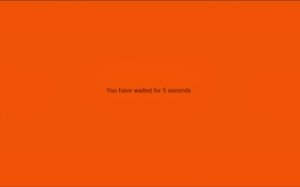
Playing 60 Day Dedication Test requires almost no active input. Once you launch the game, your only goal is to keep the application running continuously for a full 60 days. There are no save functions or pause buttons, so closing the app even by accident resets your progress to zero, and you must start the challenge over. You can track your progress through the game's slowly shifting color palette, which evolves over time as a calm visual companion. The game fits seamlessly into your daily routine, requiring no interaction beyond ensuring it stays open in the background.
Game Features
Minimalist design that focuses entirely on patience. A 60-day endurance challenge with no saves or pauses, emphasizing commitment. Calming, evolving visuals that shift gradually over time, providing a meditative experience. Simple to start with no complex controls or tutorials. Designed to fit into your daily digital routine without requiring active interaction. A unique low-pressure challenge that tests dedication without needing skill or speed.
Tips for Success
To succeed in this patience challenge, establish a routine that minimizes accidental app closures. Use your device's background app management settings to prevent the game from being closed. Consider using a dedicated device or keeping the app in a safe spot on your screen. Avoid multitasking that might lead to accidentally closing the app. Stay mindful of your progress through the color changes, and remind yourself of your goal daily. The key is consistency and avoiding distractions that could reset your count.
What happens if my device restarts or the app crashes?
If the app closes for any reason, including device restarts or crashes, your progress resets to zero. The game has no save function, so you must start the 60-day challenge again from the beginning.
Can I run this game on multiple devices at the same time?
The game is designed for a single device. Running it on multiple devices does not combine progress. Each instance tracks its own 60-day count independently, so choose one device to focus on for the challenge.
Does the game require an internet connection to track progress?
No, the game does not require an internet connection. All progress is tracked locally on your device. However, ensure your device remains powered on and the app stays active throughout the 60-day period.
Is there any way to pause or take a break during the 60 days?
No, the game does not include a pause function. Any break requires closing the app, which resets progress. The challenge is designed to run continuously, so plan accordingly to keep the app open at all times.
What visual changes can I expect during the 60 days?
The game features a slowly shifting color palette that evolves over time. These changes are subtle and gradual, serving as a calm visual indicator of your progress. The exact colors and transitions are part of the meditative experience.
Can I use my device for other tasks while the game is running?
Yes, the game is designed to run in the background. You can use your device for other tasks, but be careful not to accidentally close the app. Some devices may close background apps to save battery, so adjust your settings accordingly.
Player Comments
💬
Sign in to comment
You must be logged in before posting a review or rating.







Player Comments
Sign in to comment
You must be logged in before posting a review or rating.
No account? Create one
No comments yet. Be the first to comment!