School Lunch Creator stands out for its cheerful atmosphere and simple mechanics that appeal to all ages. The variety of foods, from ice cream cakes to burgers, encourages experimentation. Positive feedback from students after each meal makes the experience rewarding. It is a great choice for family-friendly fun.
Description
Game Introduction
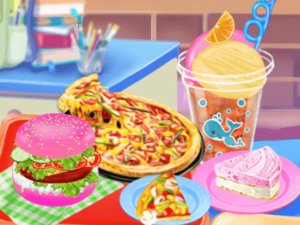
School Lunch Creator is a cheerful cooking game where players step into a busy school cafeteria at the start of a new term. The core objective is to prepare and decorate a variety of tasty foods for hungry students. Players can create items like vanilla strawberry ice cream cake, pizza, hot dogs, burgers, and ice cream pops. The game emphasizes creativity in the kitchen, allowing players to combine ingredients and add fun decorations to make each meal visually appealing. With its colorful graphics and simple controls, School Lunch Creator offers a welcoming and engaging experience for players of all ages, especially those who enjoy food-themed activities.
How to Play
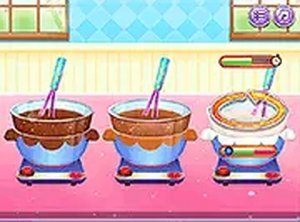
To play, players typically start by selecting ingredients from a range of food items available in the cafeteria. Using a mouse or tap on the screen, they pick up items like buns, toppings, and sauces. On-screen instructions guide the assembly of lunch sets, such as stacking a burger or adding sprinkles to an ice cream cake. Players can also decorate each dish with extras like cherry toppings or colorful wrappers. Once finished, the creation is served to students, who react positively. The game encourages experimentation, so mixing and matching different foods to create unique lunch combinations is part of the fun.
Game Features
The game includes fun cooking and decorating activities with a variety of foods. Simple point-and-click or tap controls make it easy for young players to engage. Colorful and friendly graphics create a welcoming atmosphere. The game encourages creativity and experimentation with different ingredients. Positive feedback from students after serving each meal adds a rewarding element. These features make School Lunch Creator a joyful and creative experience that brings the excitement of school lunchtime to life.
Tips for Success
To succeed, try to experiment with different ingredient combinations to discover new and exciting lunch sets. Pay attention to the on-screen instructions to ensure you assemble each dish correctly. Use the decorating options to make your meals visually appealing, as this may lead to happier student reactions. Practice regularly to become faster and more creative in the kitchen. Finally, enjoy the process—this game is about having fun and expressing your culinary creativity.
Is School Lunch Creator suitable for young children?
Yes, the game is designed with simple controls and colorful graphics that are appropriate for children. It does not contain any violent or inappropriate content, making it a safe choice for kids who enjoy cooking and creative activities.
Can I play School Lunch Creator on a mobile device?
The game is likely playable on devices with a touchscreen, as it uses tap controls. Many similar cooking games are available on tablets and smartphones, so you can enjoy creating lunch sets on the go.
Are there different difficulty levels in School Lunch Creator?
The game appears to focus on creativity and fun rather than difficulty. Players of all skill levels can participate, as the instructions guide you through each step. There may be no strict difficulty settings, allowing everyone to enjoy at their own pace.
What types of food can I make in School Lunch Creator?
You can prepare a variety of foods including vanilla strawberry ice cream cake, pizza, hot dogs, burgers, and ice cream pops. The game encourages mixing ingredients to create unique lunch combinations, so you can explore many possibilities.
Does School Lunch Creator require an internet connection to play?
Many cooking games can be played offline after initial download, but it depends on the platform. Check the game's description on your app store or website to see if an internet connection is needed for all features.
Can I save my creations in School Lunch Creator?
Some cooking games allow you to save or share your finished dishes, but this is not confirmed for School Lunch Creator. The focus is on the creative process and serving meals to students during each play session.
Player Comments
💬
Sign in to comment
You must be logged in before posting a review or rating.






Player Comments
Sign in to comment
You must be logged in before posting a review or rating.
No account? Create one
No comments yet. Be the first to comment!